Among the applications that have taken up the fight as “David” against the giant “Goliath” and won is the graphics software Canva. The advantages that Canva has over the top dog Adobe pay off, especially for small to medium-sized design projects. Canva offers decisive strengths for sales campaigns in particular, for example in terms of digitization and flexibility.
Efficiency and simplicity in the design process
Canva simplifies design work with a streamlined, intuitive user interface and AI-powered features that enable ideas to be realized quickly and professionally. The browser-based implementation also promotes teamwork, as multiple participants can work on projects in real time. Another advantage of Canva is the comparatively low subscription fee, which also makes it attractive for SMEs to use. Particularly in the B2B sector, but also in B2C, Canva achieves a higher visibility that is supported by targeted campaigns. Canva is therefore ideal for enabling high-quality brand development in sales without having to involve external designers.
Fast and brand-compliant implementation of sales projects
Because Canva is easy to use, even non-graphic designers in sales can quickly create print-ready materials that adhere to corporate design guidelines. Canva supports this with AI-supported features that automatically adapt colors, logos and fonts to the brand design and thus strengthen the brand identity. The platform is particularly suitable for short-term campaigns in sales, as designs can be implemented and published in the shortest possible time. Thanks to Canva’s collaborative possibilities, teams can also work together across borders. The platform supports direct networking within the team, which is particularly helpful for employee retention within the company.
Our Canva workshops for sales – success through knowledge transfer
Our workshop offers the perfect introduction to the use of Canva for sales teams. In just two half training days (training and coaching), we teach the basics and advanced techniques required to implement professional campaigns. This enables sales teams to implement a successful content strategy independently and efficiently.
As reported, 2be_die markenmacher has been a proud member of the internationally operating ‘Rabbit Hole’ group of companies since mid-2024. Rabbit Hole is characterised by an extensive, IT-based service portfolio that relies on the expertise of highly specialised professionals.
Within this network, we focus on our core competences in the areas of sales campaigns and brand development. Close networking within the group of companies enables us to optimise the development of our sales strategies and thus drive the success of our brand forward.
Increase sales success and visibility
At our 2024 annual meeting in the Serbian metropolis of Belgrade, it became clear that the ‘Together we are stronger’ concept works extremely well! There is increasing demand for Rabbit Hole’s services, which underlines the consistently high quality. The integration of our sales and brand development services also contributed significantly to our success.
Matthias Brinkmann from 2be was on site in Belgrade together with Anton Dollmaier from AD IT Systems GmbH to promote intensive dialogue with our co-specialists and provide new impetus for further development. Since our relatively recent membership, we have been able to participate in several major projects and obtain the best feedback from our clients, which has significantly strengthened our visibility and position in the market.
Development and optimism for the future
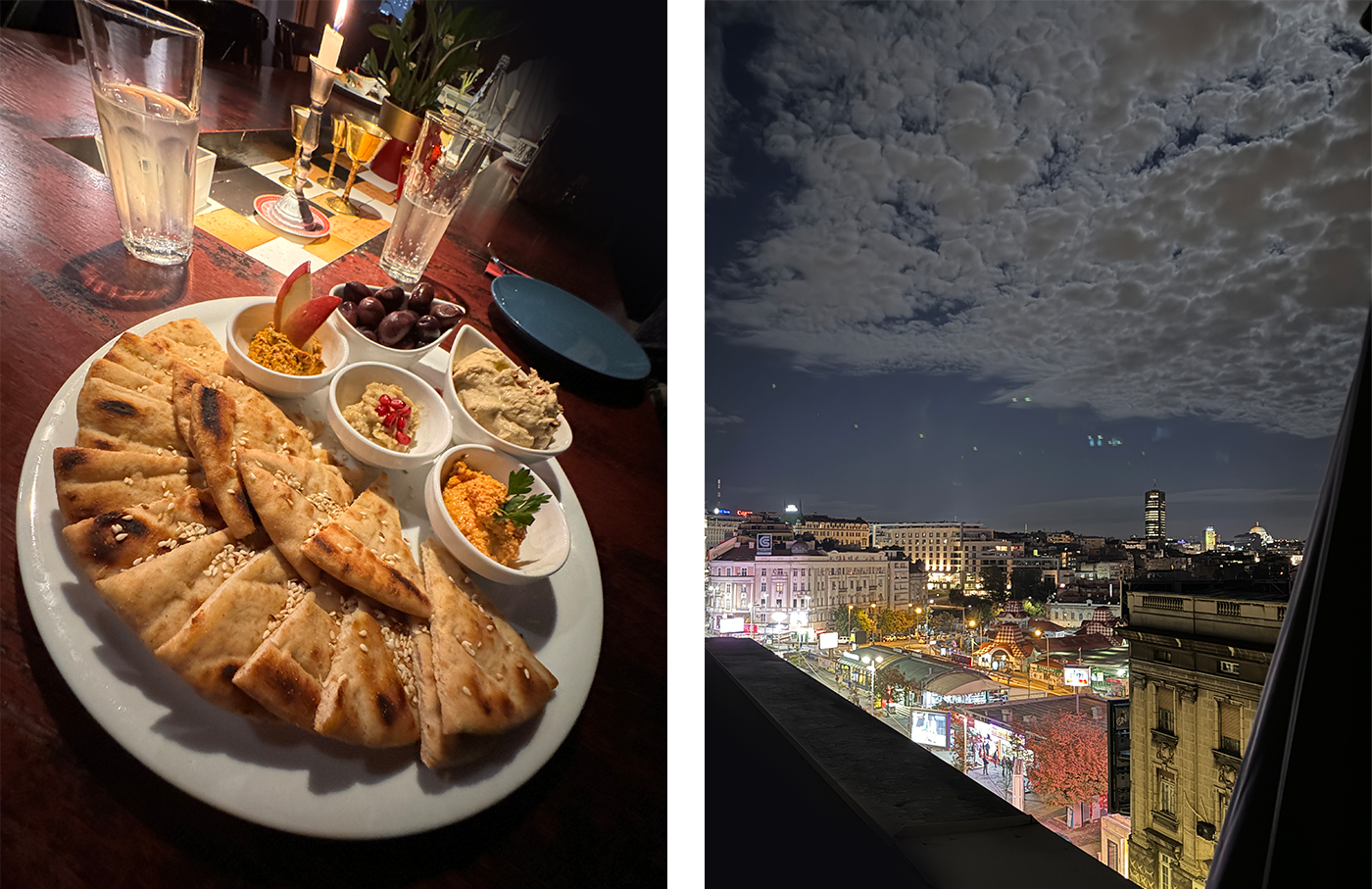
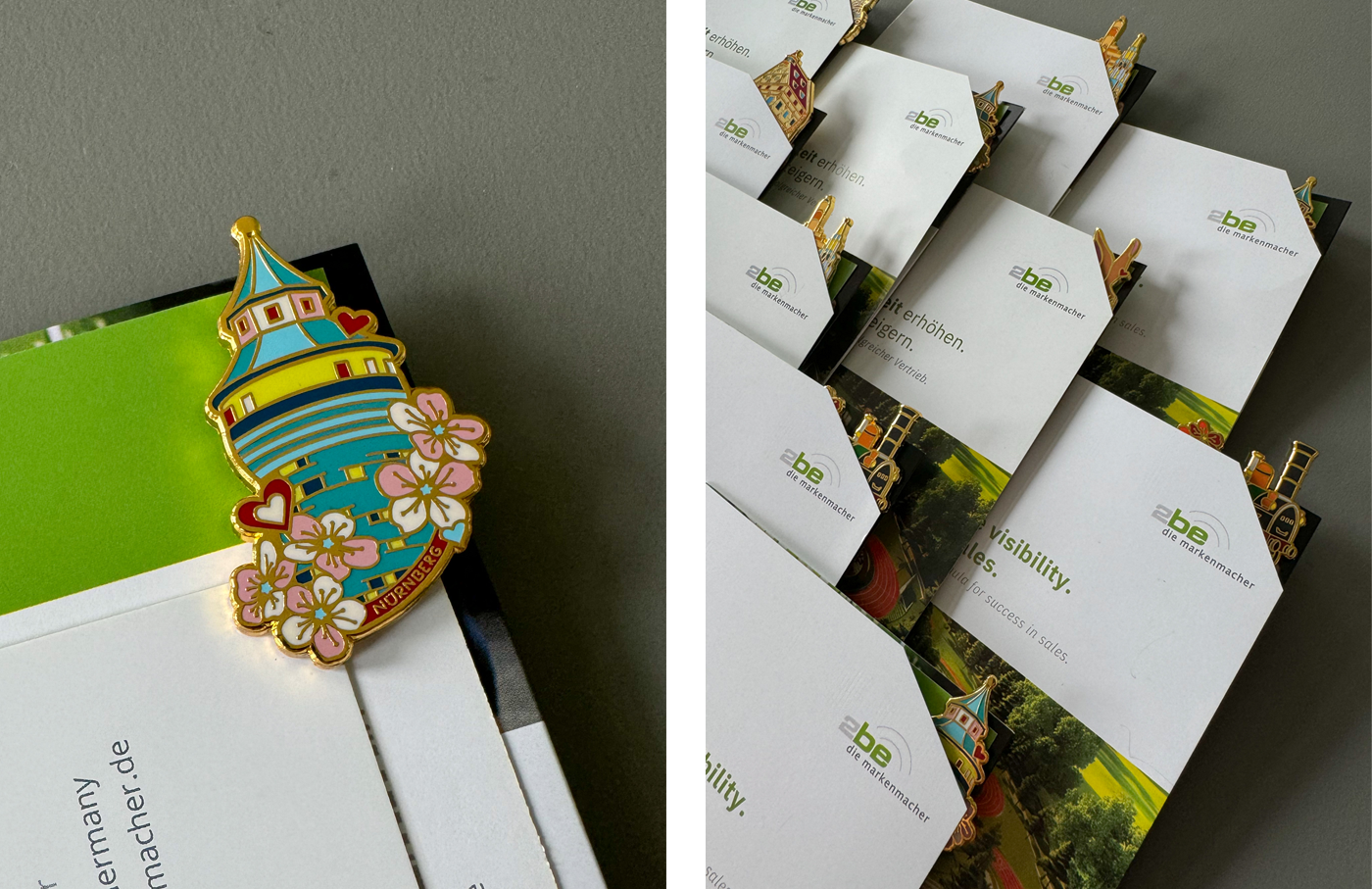
Rabbit Hole’s annual meeting, which took place from 19 to 22 September at the Mama Shelter Belgrade hotel, was a complete success. In addition to the ongoing development of the group of companies, which now has 255 employees, it provided ample opportunity for intensive dialogue with our co-specialists. As a small souvenir, each participant received a pin with famous Nuremberg sights, our home town. This exchange not only contributed to the further development of our own expertise, but also gave us plenty of optimism for future sales opportunities and joint brand development. We are ready to further expand our network and increase the visibility of Rabbit Hole and 2be_die markenmacher!
Curious now?
Our contact persons will be pleased to help you:
If you only have a small budget for your projects and can’t spend a larger budget on self-composed music or licenses, you fortunately have a large selection of different options for obtaining suitable music these days.
The question“Should we use free or AI-generated music for our current project?” was recently posed by one of our customers.
Together with him, and based on our experience in the field of audio and AI, we were able to give him a well-founded recommendation.
We are happy to share our findings with you here to help you make your decision.
Free music using Pixabay as an example
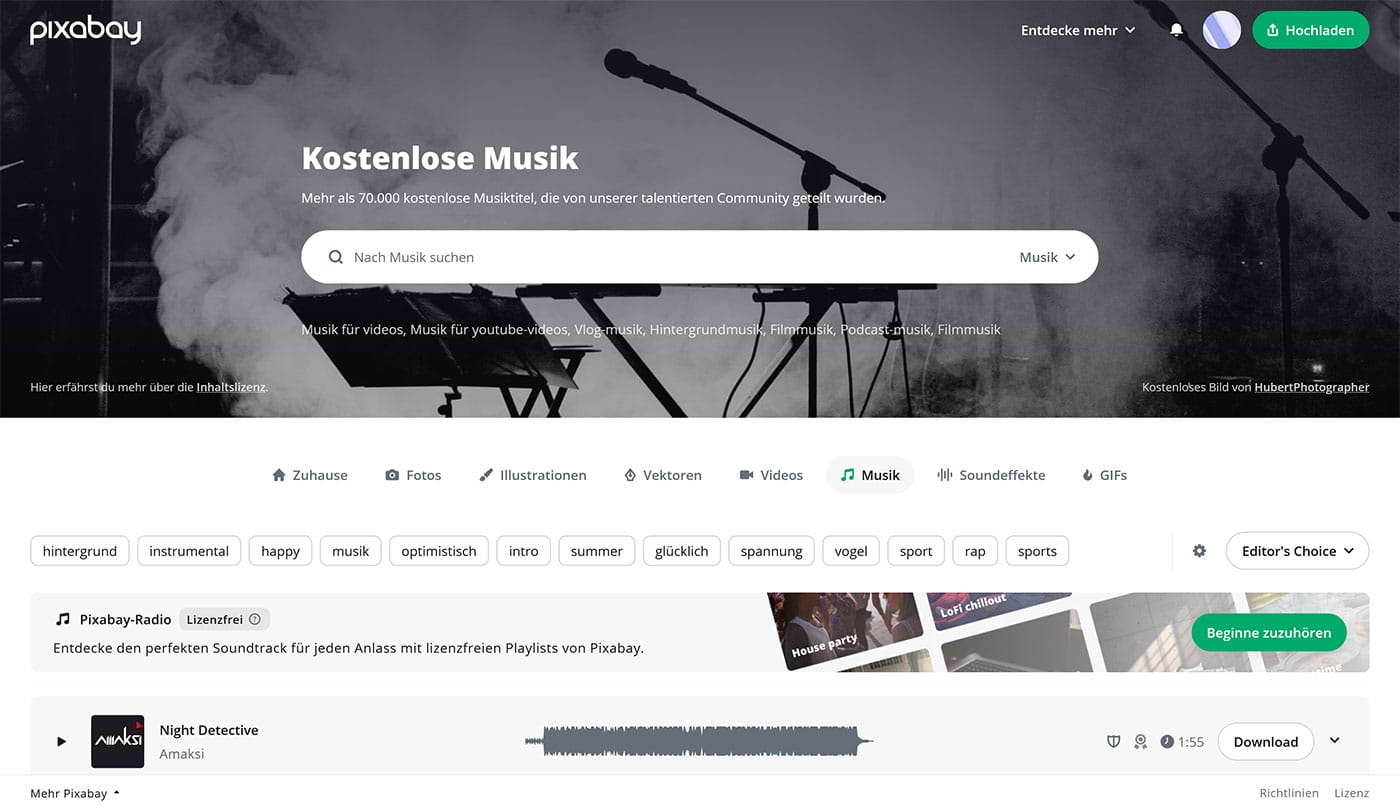
Pixabay offers a variety of free music tracks and sound effects created by different artists.
Pro:
Created by real artists, therefore clear legal situation.
Over 90,000 free sound effects available.
Contra:
Long search times to find suitable music.
Different license conditions, not always suitable for commercial use.
AI-generated music using the example of Suno
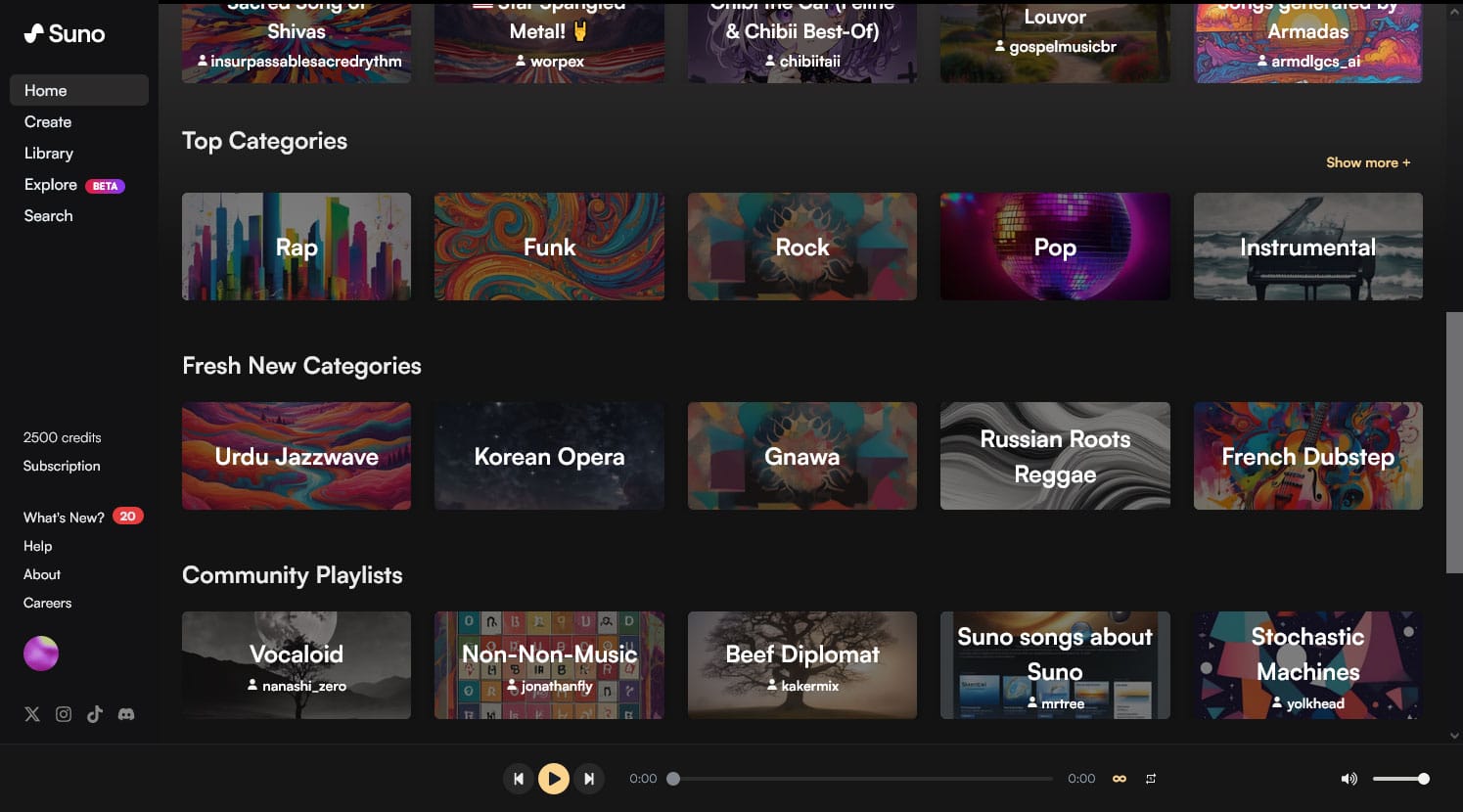
Suno is an innovative AI music generator that creates unique pieces of music in a matter of seconds.
Pro:
Quickly create unique pieces of music.
Possibility to customize genre, style, mood and instruments.
Flexible and customizable for different projects.
Contra:
Commercial use requires a paid subscription.
Requires practice and precise input for optimum results.
Unclear legal situation with AI-generated content, as this can change constantly.
How does the generation of songs by AI actually work?
Let’s go through the example using the Suno platform: First we create an account, then you can describe the song you have in mind in the song description (left in the picture), similar to all AI programs: the more precisely described, the better.
Then 2 variants of songs are created for the description entered. Both instrumentals and vocals with lyrics can be generated, which doesn’t sound too bad in our opinion, especially if you need a song as background music, the creations are very suitable.
Conclusion
Both options offer advantages and challenges.
Free music from platforms like Pixabay can be a good choice for projects with clear licensing requirements and no pressing timelines.
AI-generated music from providers such as Suno, on the other hand, offers high flexibility and fast results, but requires a better understanding of the technology and may require additional costs for commercial usage rights.
It is important to always check the terms of use and license requirements to ensure that the music can be used legally.
Especially in the AI sector, the legal requirements and terms of use change quite frequently at the moment, so special attention should be paid to this.
Regardless of whether you choose free or AI-generated music, always consider the aspects of visibility, brand development and the requirements of your own project.
Further aspects
Digitization helper: AI-generated music can change your digital routine more efficiently.
Innovative strength: utilize the possibilities of AI helpersto realize creative and innovative projects.
Helping people to help themselves: Both options offer support in the implementation of creative ideas, be it through broad music libraries or through the adaptability of AI tools.
For the best results in your project, you should decide for yourself and choose the most suitable music option carefully, but also keep all legal aspects in mind. Curious to find out more? Our contacts will be happy to help you: Katharina Zauner +49 (0)911 / 47 49 49 53zauner@twobe.deLinkedIn
https://2be-markenmacher.de/wp-content/uploads/header-kostenlose-oder-ki-generierte-musik-news-2be-die-markenmacher.jpg6591500Katharina Zaunerhttps://2be-markenmacher.de/wp-content/uploads/logo-twobe-white-Kopie.pngKatharina Zauner2024-07-29 10:40:462024-07-29 13:00:35Free or AI-generated music – which is better for my project?
Finding qualified personnel is one of the most important tasks facing German companies in their own country today – regardless of the industry in which they operate. The urgency with which the battle for competent, motivated and, above all, capable heads is being waged has recently increased almost exponentially. For many companies, the need to find suitable applicants for vacancies is so great that their own economic survival depends on it in the short to medium term.
Recruiting: bundling success factors
Parallel to the increasing relevance of personnel acquisition, the importance of HR in the respective companies has grown. The central challenge of recruiting is to establish and consistently follow a process that focuses on broad acceptance and high visibility, on maximum transparency and the greatest possible efficiency. Only when all success factors are bundled and brought to bear on the market is it possible to acquire the personnel that is actually needed.
Promote employee search through targeted networking
Together with our customers and partners, we at 2be die markenmacher have developed, refined and supported such a process in many ways over the past 15 years. We have long since become so well versed that – when realistic parameters and goals are set – we can claim that it works regardless of the industry, the size of the company, and the range of products and services.
Here are a few of our findings “in a nutshell.”
1. use LinkedIn as a launch pad
An essential component for the successful establishment of a recruiting process is the use of tried and tested tools with a sufficiently coordinated range of functions. Our starting point is always the business network LinkedIn, which has long ranked far ahead of all business networks. We help our clients (or take full ownership of the process) to directly reach out to suitable potential candidates via LinkedIn. The cover letters we develop for this are equally targeted, but are also aimed at a large number of potential applicants.
2. concretize employee search
It is important that this process is already qualitatively and quantitatively tracked, documented and thus permanently optimized. How many addressees can/would we like to reach with it? How many responses result from each cover letter (absolute or percentage) and how many of them are qualified or usable? How many of the qualified responses eventually result in actual interviews, which in turn result in how many applicants to the advertised positions? And last but not least: Did the selected candidates actually succeed in their respective positions in the end (by successfully passing the probationary period, for example)?
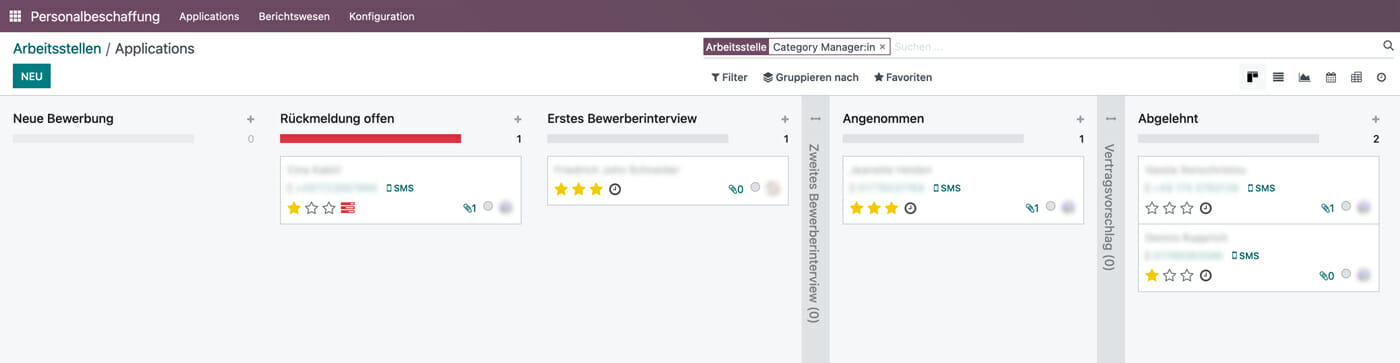
Recruitment dashboard – All applicants who have applied via the website come in here and can be managed accordingly
3. use professional tools
One of the essential tools that we also use for personnel recruiting – often in joint coordination and use with our customers – is Odoo. One of the many advantages of this CRM software is that we can record there all the details of the identified people, applicants and continue to use them as needed. In direct interaction with LinkedIn, Odoo (e.g. via a landing page) actually offers an excellent combination of modules that we can use optimally in collaboration with our customers to get the best possible results. This extends to access to the calendar, where, for example, appointments for job interviews can be booked in.
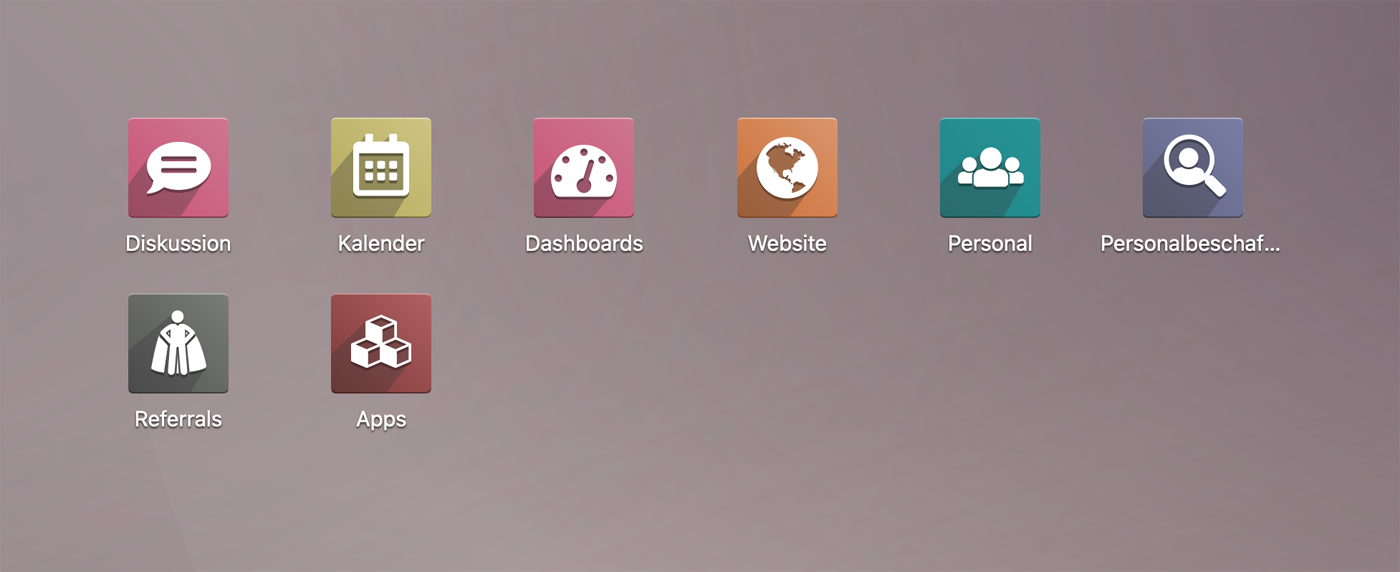
Odoo Dashboard – The complete process is controlled from this center
4. involve employees in the process
However, the precise use of functional tools is not sufficient unless internal/external commitment from the company side is sufficiently guaranteed. Odoo also only works if all parties involved in the recruiting process play along. I.e. show their full commitment. This ranges from the selection of the “right” target group to the willingness of department heads, for example, to communicate directly with the selected applicants.
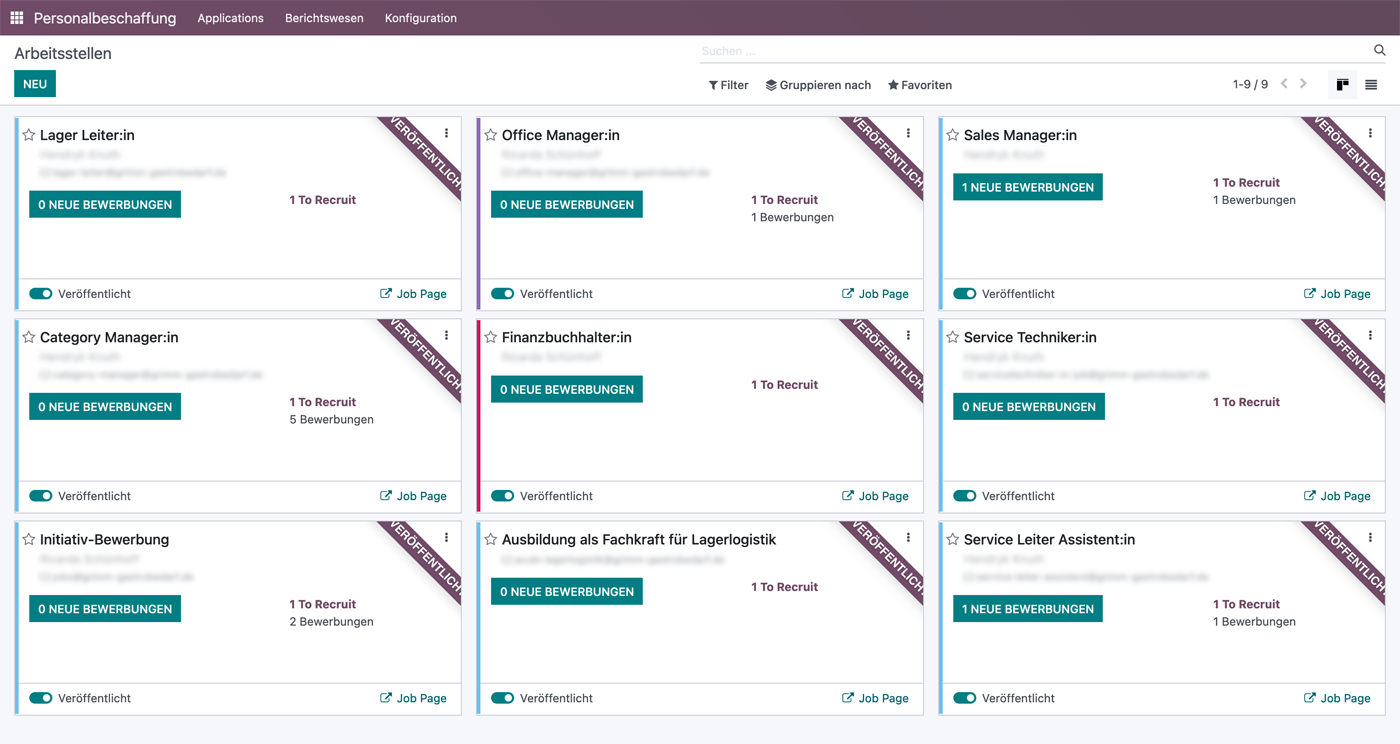
Overview of all open jobs with respective status
5. evaluate feedback
Important at the end of any recruiting process is the evaluation of the entire process, especially in relation to the use of financial resources. What were we able to achieve in filling the position with the use of our budget? Has it been enough, can it possibly even be reduced, or do we need to invest even more in further attempts?
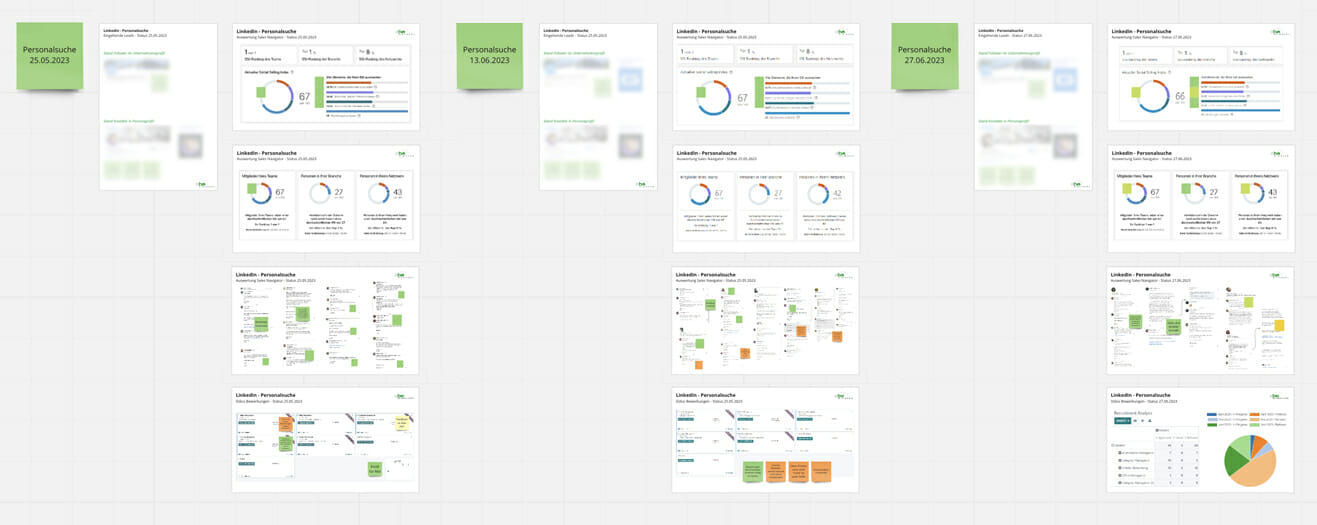
Miro with Recruitment Review: At regular intervals, the current status is documented and evaluated.
After the recruiting measure is before the recruiting measure. Means: Of course we keep all information stored (via Odoo) in the system. This allows us to benefit from the pool of previous contacts or applicants for upcoming search assignments and additionally improves our LinkedIn presence.
Curious now?
Our contact persons will be pleased to help you:
https://2be-markenmacher.de/wp-content/uploads/header-foerderpartnerschaften_stammkunden-news-2be-die-markenmacher.jpg4531030Matthias Brinkmannhttps://2be-markenmacher.de/wp-content/uploads/logo-twobe-white-Kopie.pngMatthias Brinkmann2023-08-02 11:19:422023-08-04 16:49:50Personalkampagne auf maximalen Erfolg getrimmt – Linkedin trifft odoo als Bewerberdatenbank
This mode enables people with epilepsy to use the website safely by eliminating the risk of seizures that result from flashing or blinking animations and risky color combinations.
Visually Impaired Mode
Improves website's visuals
This mode adjusts the website for the convenience of users with visual impairments such as Degrading Eyesight, Tunnel Vision, Cataract, Glaucoma, and others.
Cognitive Disability Mode
Helps to focus on specific content
This mode provides different assistive options to help users with cognitive impairments such as Dyslexia, Autism, CVA, and others, to focus on the essential elements of the website more easily.
ADHD Friendly Mode
Reduces distractions and improve focus
This mode helps users with ADHD and Neurodevelopmental disorders to read, browse, and focus on the main website elements more easily while significantly reducing distractions.
Blindness Mode
Allows using the site with your screen-reader
This mode configures the website to be compatible with screen-readers such as JAWS, NVDA, VoiceOver, and TalkBack. A screen-reader is software for blind users that is installed on a computer and smartphone, and websites must be compatible with it.
Online Dictionary
Readable Experience
Content Scaling
Default
Text Magnifier
Readable Font
Dyslexia Friendly
Highlight Titles
Highlight Links
Font Sizing
Default
Line Height
Default
Letter Spacing
Default
Left Aligned
Center Aligned
Right Aligned
Visually Pleasing Experience
Dark Contrast
Light Contrast
Monochrome
High Contrast
High Saturation
Low Saturation
Adjust Text Colors
Adjust Title Colors
Adjust Background Colors
Easy Orientation
Mute Sounds
Hide Images
Hide Emoji
Reading Guide
Stop Animations
Reading Mask
Highlight Hover
Highlight Focus
Big Dark Cursor
Big Light Cursor
Cognitive Reading
Virtual Keyboard
Navigation Keys
Voice Navigation
Accessibility Statement
2be-markenmacher.de
17.02.2026
Compliance status
We firmly believe that the internet should be available and accessible to anyone, and are committed to providing a website that is accessible to the widest possible audience,
regardless of circumstance and ability.
To fulfill this, we aim to adhere as strictly as possible to the World Wide Web Consortium’s (W3C) Web Content Accessibility Guidelines 2.1 (WCAG 2.1) at the AA level.
These guidelines explain how to make web content accessible to people with a wide array of disabilities. Complying with those guidelines helps us ensure that the website is accessible
to all people: blind people, people with motor impairments, visual impairment, cognitive disabilities, and more.
This website utilizes various technologies that are meant to make it as accessible as possible at all times. We utilize an accessibility interface that allows persons with specific
disabilities to adjust the website’s UI (user interface) and design it to their personal needs.
Additionally, the website utilizes an AI-based application that runs in the background and optimizes its accessibility level constantly. This application remediates the website’s HTML,
adapts Its functionality and behavior for screen-readers used by the blind users, and for keyboard functions used by individuals with motor impairments.
If you’ve found a malfunction or have ideas for improvement, we’ll be happy to hear from you. You can reach out to the website’s operators by using the following email
Screen-reader and keyboard navigation
Our website implements the ARIA attributes (Accessible Rich Internet Applications) technique, alongside various different behavioral changes, to ensure blind users visiting with
screen-readers are able to read, comprehend, and enjoy the website’s functions. As soon as a user with a screen-reader enters your site, they immediately receive
a prompt to enter the Screen-Reader Profile so they can browse and operate your site effectively. Here’s how our website covers some of the most important screen-reader requirements,
alongside console screenshots of code examples:
Screen-reader optimization: we run a background process that learns the website’s components from top to bottom, to ensure ongoing compliance even when updating the website.
In this process, we provide screen-readers with meaningful data using the ARIA set of attributes. For example, we provide accurate form labels;
descriptions for actionable icons (social media icons, search icons, cart icons, etc.); validation guidance for form inputs; element roles such as buttons, menus, modal dialogues (popups),
and others. Additionally, the background process scans all the website’s images and provides an accurate and meaningful image-object-recognition-based description as an ALT (alternate text) tag
for images that are not described. It will also extract texts that are embedded within the image, using an OCR (optical character recognition) technology.
To turn on screen-reader adjustments at any time, users need only to press the Alt+1 keyboard combination. Screen-reader users also get automatic announcements to turn the Screen-reader mode on
as soon as they enter the website.
These adjustments are compatible with all popular screen readers, including JAWS and NVDA.
Keyboard navigation optimization: The background process also adjusts the website’s HTML, and adds various behaviors using JavaScript code to make the website operable by the keyboard. This includes the ability to navigate the website using the Tab and Shift+Tab keys, operate dropdowns with the arrow keys, close them with Esc, trigger buttons and links using the Enter key, navigate between radio and checkbox elements using the arrow keys, and fill them in with the Spacebar or Enter key.Additionally, keyboard users will find quick-navigation and content-skip menus, available at any time by clicking Alt+1, or as the first elements of the site while navigating with the keyboard. The background process also handles triggered popups by moving the keyboard focus towards them as soon as they appear, and not allow the focus drift outside it.
Users can also use shortcuts such as “M” (menus), “H” (headings), “F” (forms), “B” (buttons), and “G” (graphics) to jump to specific elements.
Disability profiles supported in our website
Epilepsy Safe Mode: this profile enables people with epilepsy to use the website safely by eliminating the risk of seizures that result from flashing or blinking animations and risky color combinations.
Visually Impaired Mode: this mode adjusts the website for the convenience of users with visual impairments such as Degrading Eyesight, Tunnel Vision, Cataract, Glaucoma, and others.
Cognitive Disability Mode: this mode provides different assistive options to help users with cognitive impairments such as Dyslexia, Autism, CVA, and others, to focus on the essential elements of the website more easily.
ADHD Friendly Mode: this mode helps users with ADHD and Neurodevelopmental disorders to read, browse, and focus on the main website elements more easily while significantly reducing distractions.
Blindness Mode: this mode configures the website to be compatible with screen-readers such as JAWS, NVDA, VoiceOver, and TalkBack. A screen-reader is software for blind users that is installed on a computer and smartphone, and websites must be compatible with it.
Keyboard Navigation Profile (Motor-Impaired): this profile enables motor-impaired persons to operate the website using the keyboard Tab, Shift+Tab, and the Enter keys. Users can also use shortcuts such as “M” (menus), “H” (headings), “F” (forms), “B” (buttons), and “G” (graphics) to jump to specific elements.
Additional UI, design, and readability adjustments
Font adjustments – users, can increase and decrease its size, change its family (type), adjust the spacing, alignment, line height, and more.
Color adjustments – users can select various color contrast profiles such as light, dark, inverted, and monochrome. Additionally, users can swap color schemes of titles, texts, and backgrounds, with over seven different coloring options.
Animations – person with epilepsy can stop all running animations with the click of a button. Animations controlled by the interface include videos, GIFs, and CSS flashing transitions.
Content highlighting – users can choose to emphasize important elements such as links and titles. They can also choose to highlight focused or hovered elements only.
Audio muting – users with hearing devices may experience headaches or other issues due to automatic audio playing. This option lets users mute the entire website instantly.
Cognitive disorders – we utilize a search engine that is linked to Wikipedia and Wiktionary, allowing people with cognitive disorders to decipher meanings of phrases, initials, slang, and others.
Additional functions – we provide users the option to change cursor color and size, use a printing mode, enable a virtual keyboard, and many other functions.
Browser and assistive technology compatibility
We aim to support the widest array of browsers and assistive technologies as possible, so our users can choose the best fitting tools for them, with as few limitations as possible. Therefore, we have worked very hard to be able to support all major systems that comprise over 95% of the user market share including Google Chrome, Mozilla Firefox, Apple Safari, Opera and Microsoft Edge, JAWS and NVDA (screen readers).
Notes, comments, and feedback
Despite our very best efforts to allow anybody to adjust the website to their needs. There may still be pages or sections that are not fully accessible, are in the process of becoming accessible, or are lacking an adequate technological solution to make them accessible. Still, we are continually improving our accessibility, adding, updating and improving its options and features, and developing and adopting new technologies. All this is meant to reach the optimal level of accessibility, following technological advancements. For any assistance, please reach out to


 Matthias Brinkmann




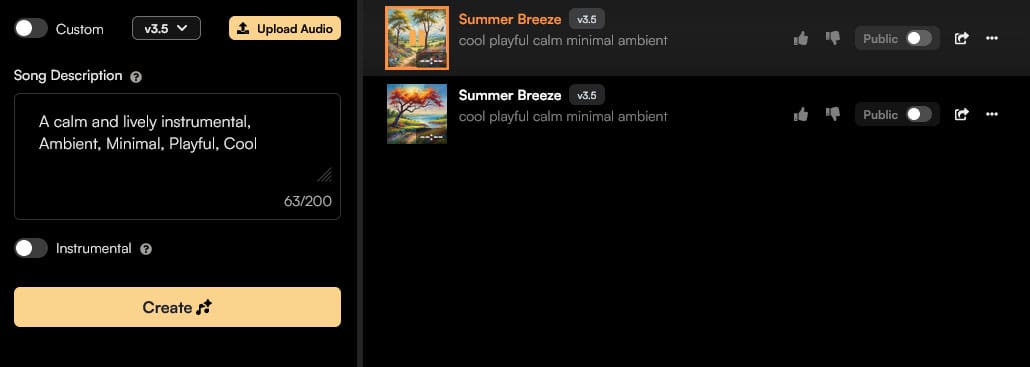 Let’s go through the example using the Suno platform: First we create an account, then you can describe the song you have in mind in the song description (left in the picture), similar to all AI programs: the more precisely described, the better.
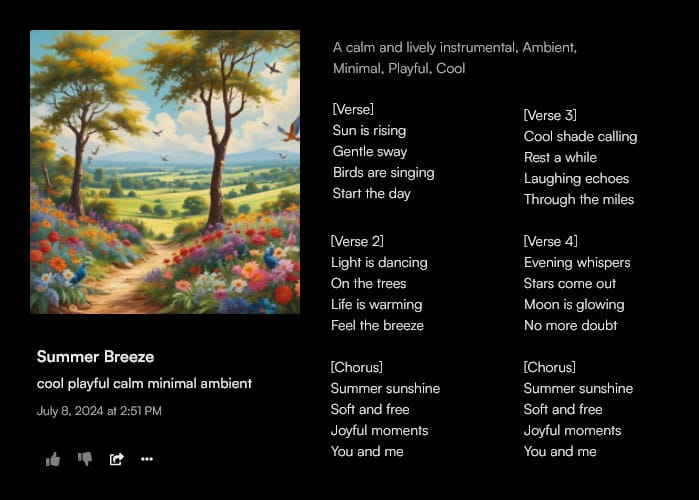 Both instrumentals and vocals with lyrics can be generated, which doesn’t sound too bad in our opinion, especially if you need a song as background music, the creations are very suitable.
  Katharina Zauner +49 (0)911 / 47 49 49 53
 Alex – Stock.Adobe.com (423408046)